

May 15th 2024
The following instructions and screenshots will help you to correctly setup the sound drivers for Windows 98SE in VMWARE. This will give you sound that isn’t distorted or choppy using drivers that are already present in Windows 98.
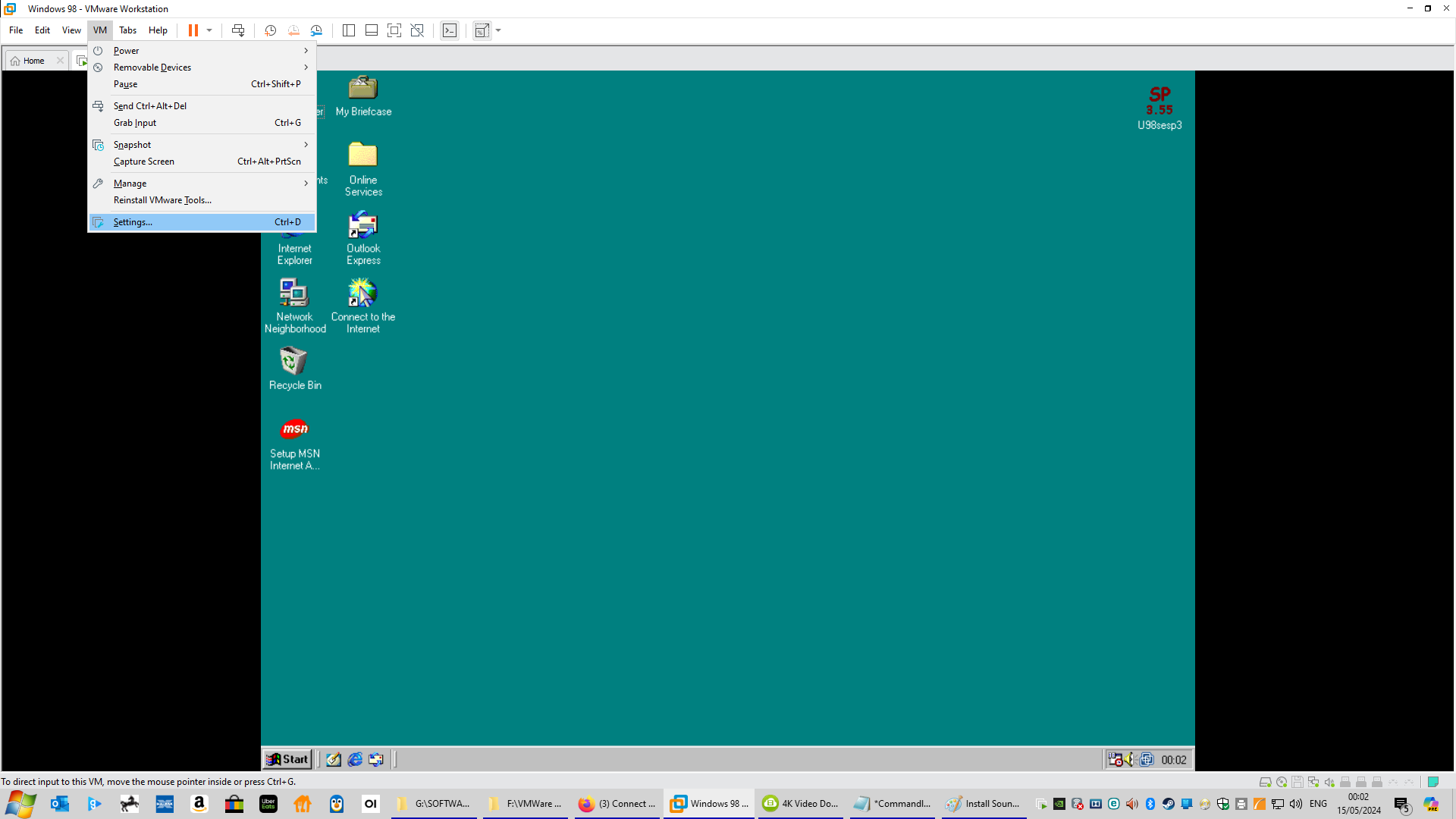
First start VMWare and select Windows 98 (or any name you gave the Windows 98 installation). Select “VM” from the top menu within VMWare and select “Settings” which is shown in (Fig 1) below.
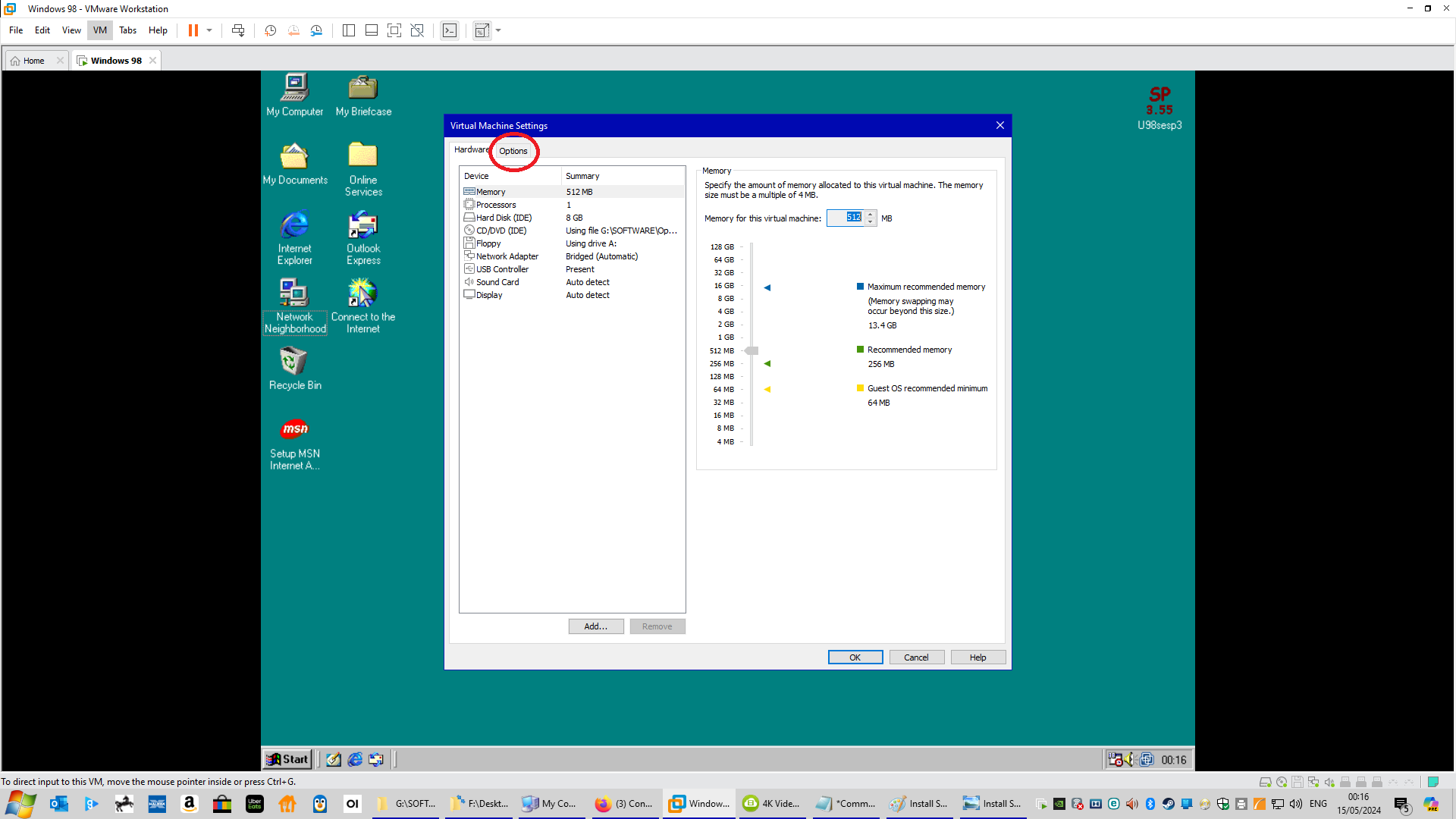
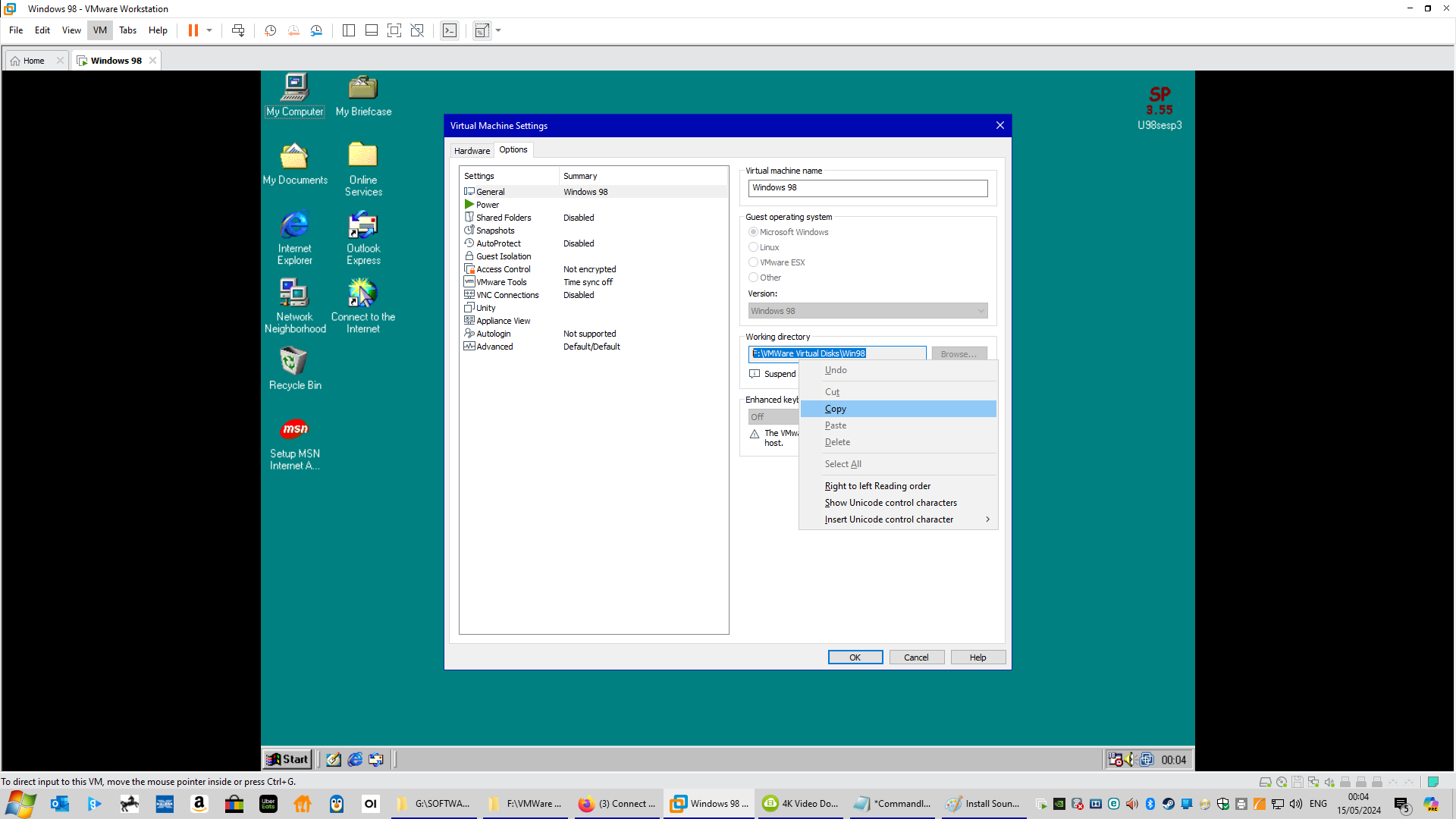
Then once on the “Settings” screen click the “Options” tab which is shown in (Fig 2), and then highlight the section under “Working directory” which is shown in (Fig 3 and 4), and right click and select copy.

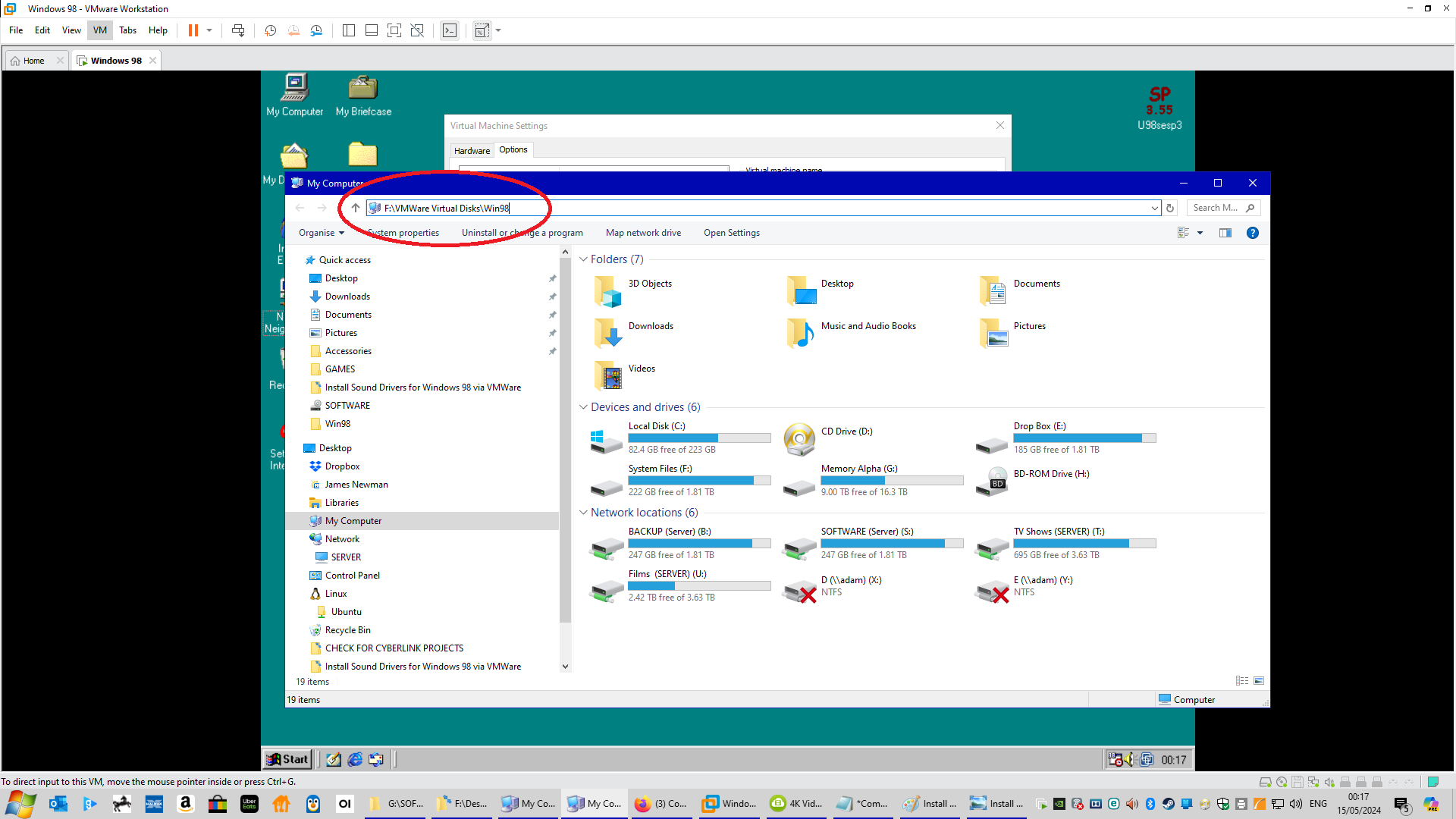
Now open a folder on your computer and paste what you copied into the area shown on (Fig 5), and hit the enter key.
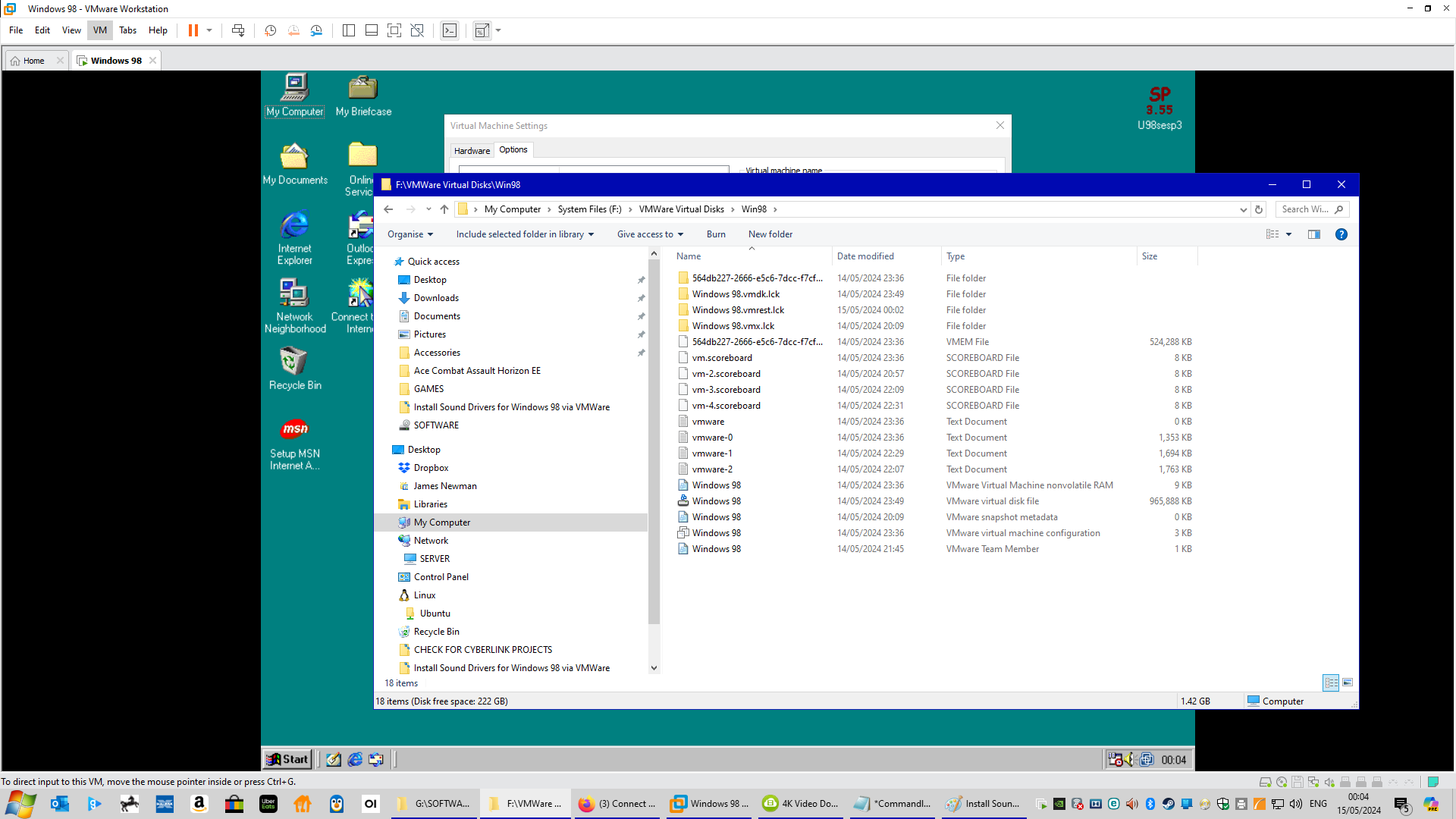
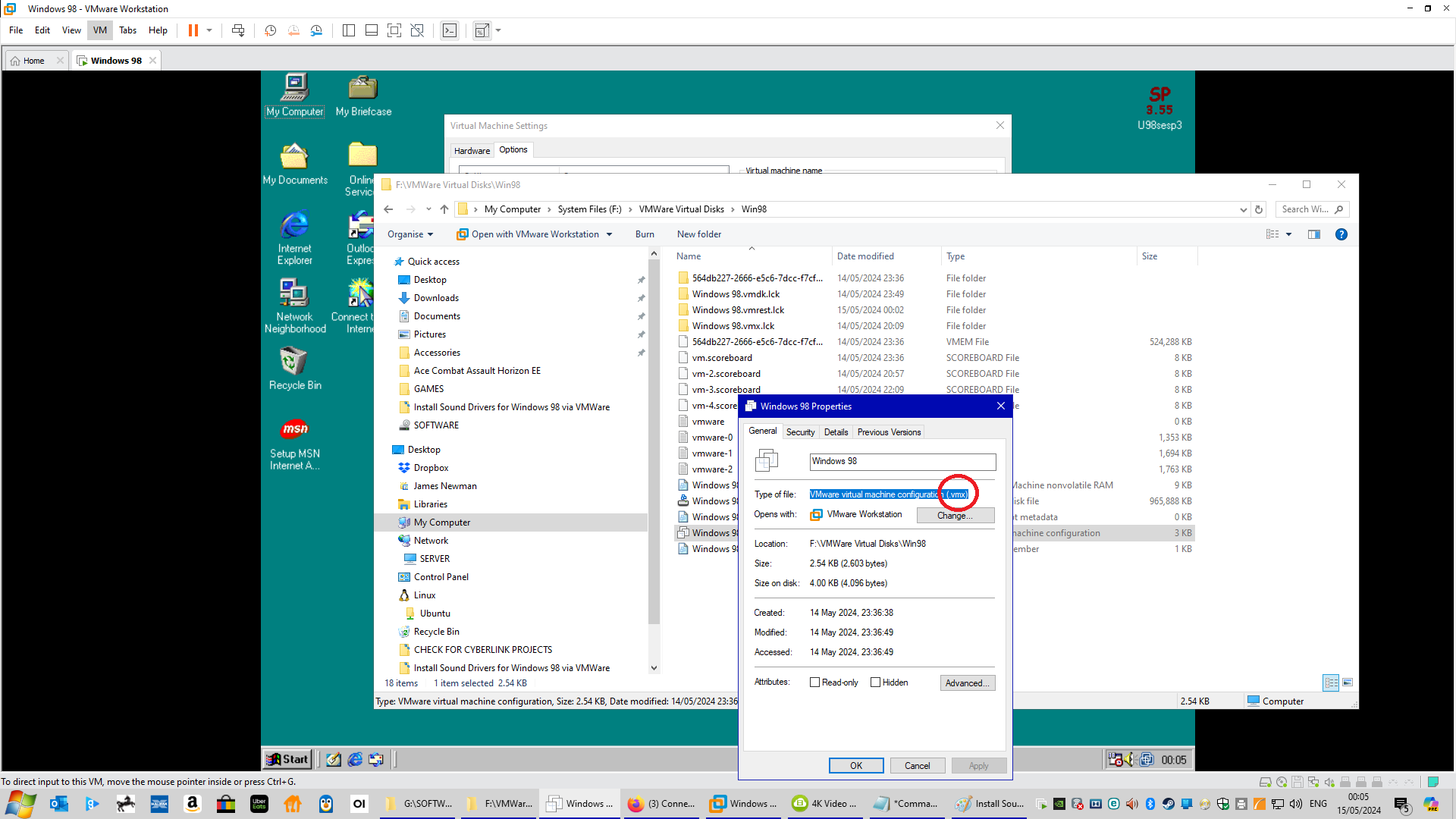
Now locate the VMX file in the folder by right clicking on each file and selecting “Properties” until you locate the one that ends in “.vmx” (Fig 7). Once located right click this file and select “Open with” and then select “Notepad” (Fig 8).
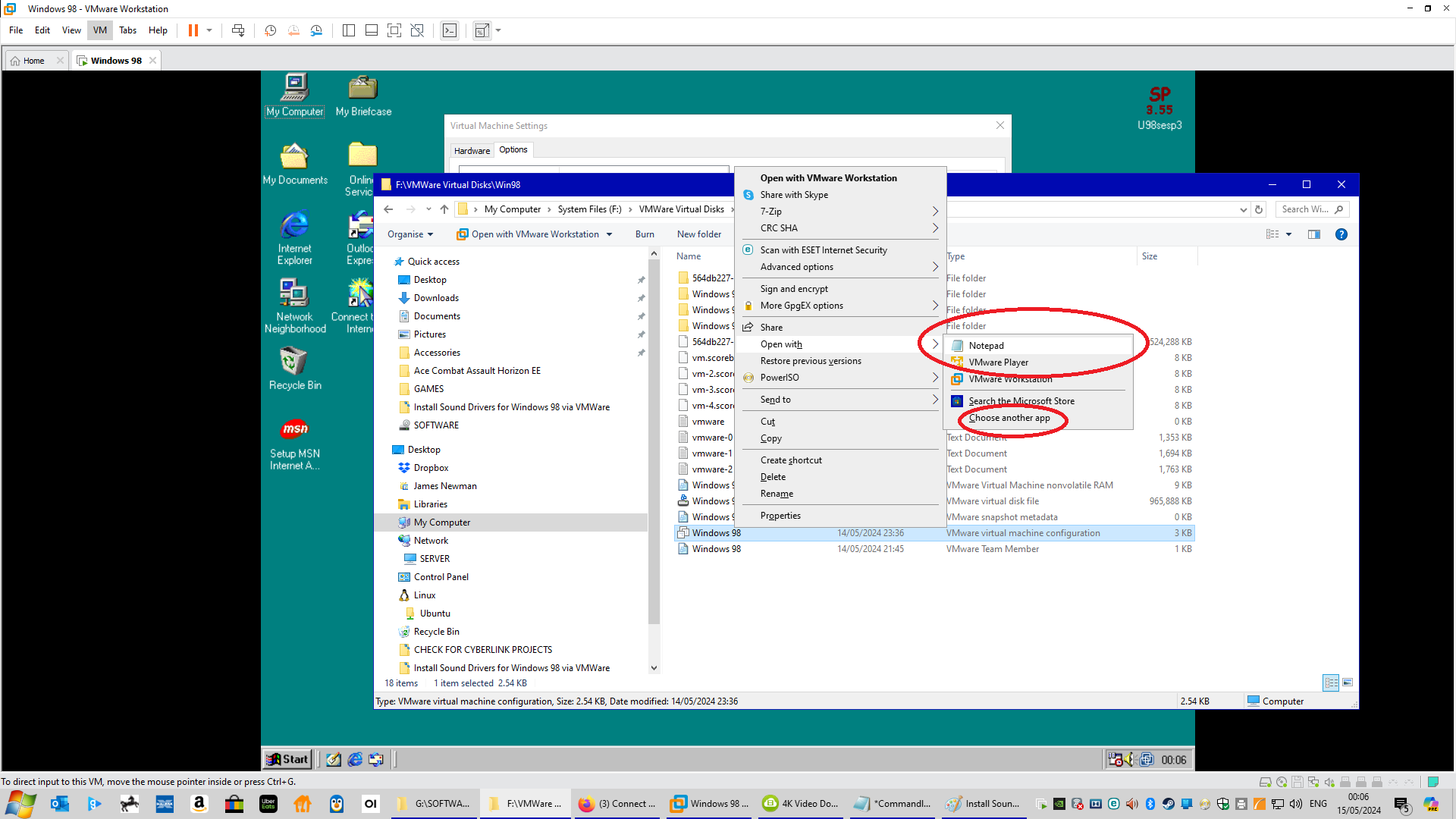
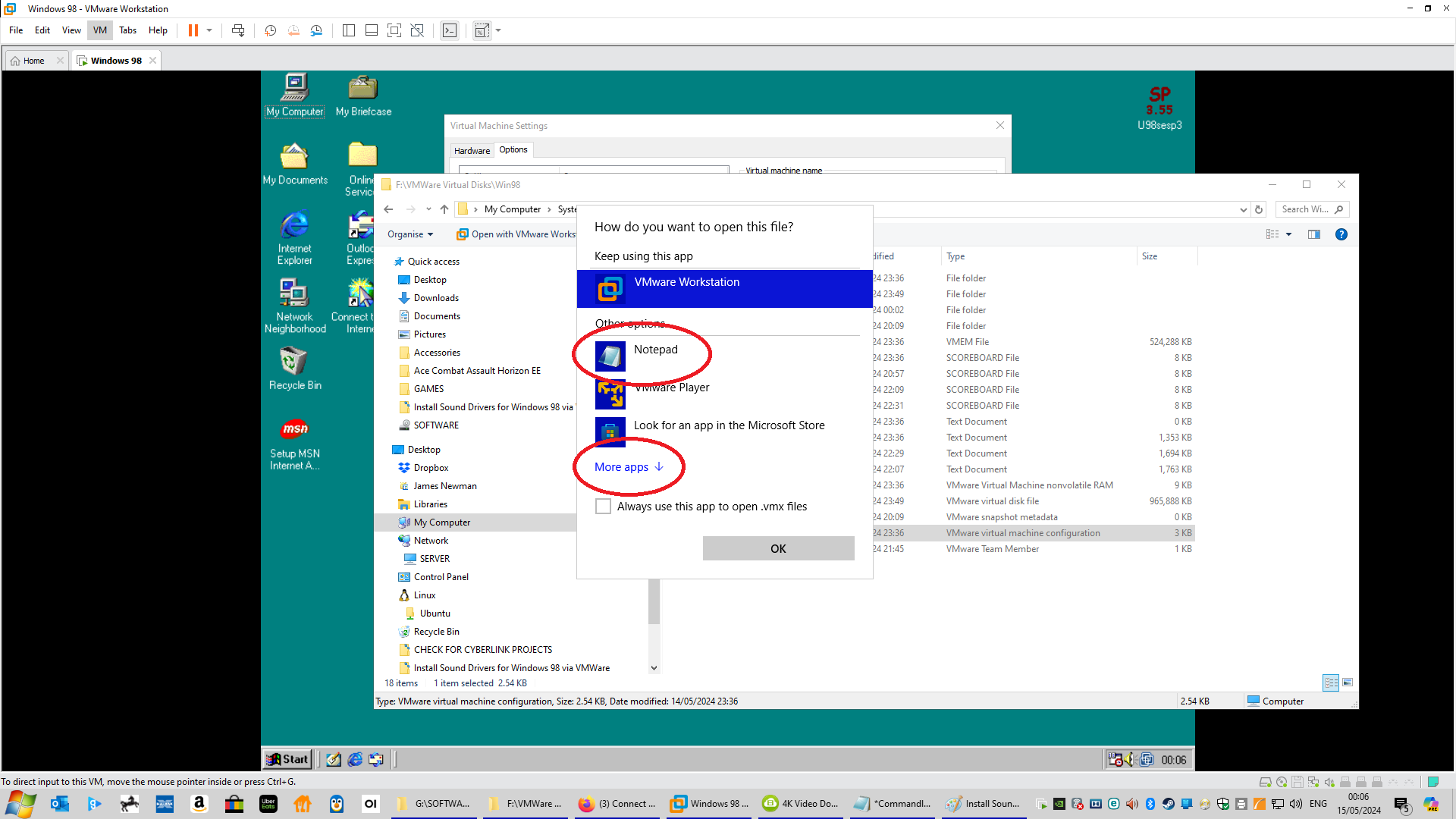
If “Notepad” isn’t showing on the list then click on “Choose another app” and if you still can’t see Notepad then click on “More apps” and find “Notepad” on the list (Fig 9).
Once in the “Notepad” scroll down to the bottom and copy and paste the following in a new line (Fig 10):
sound.virtualDev = “sb16”
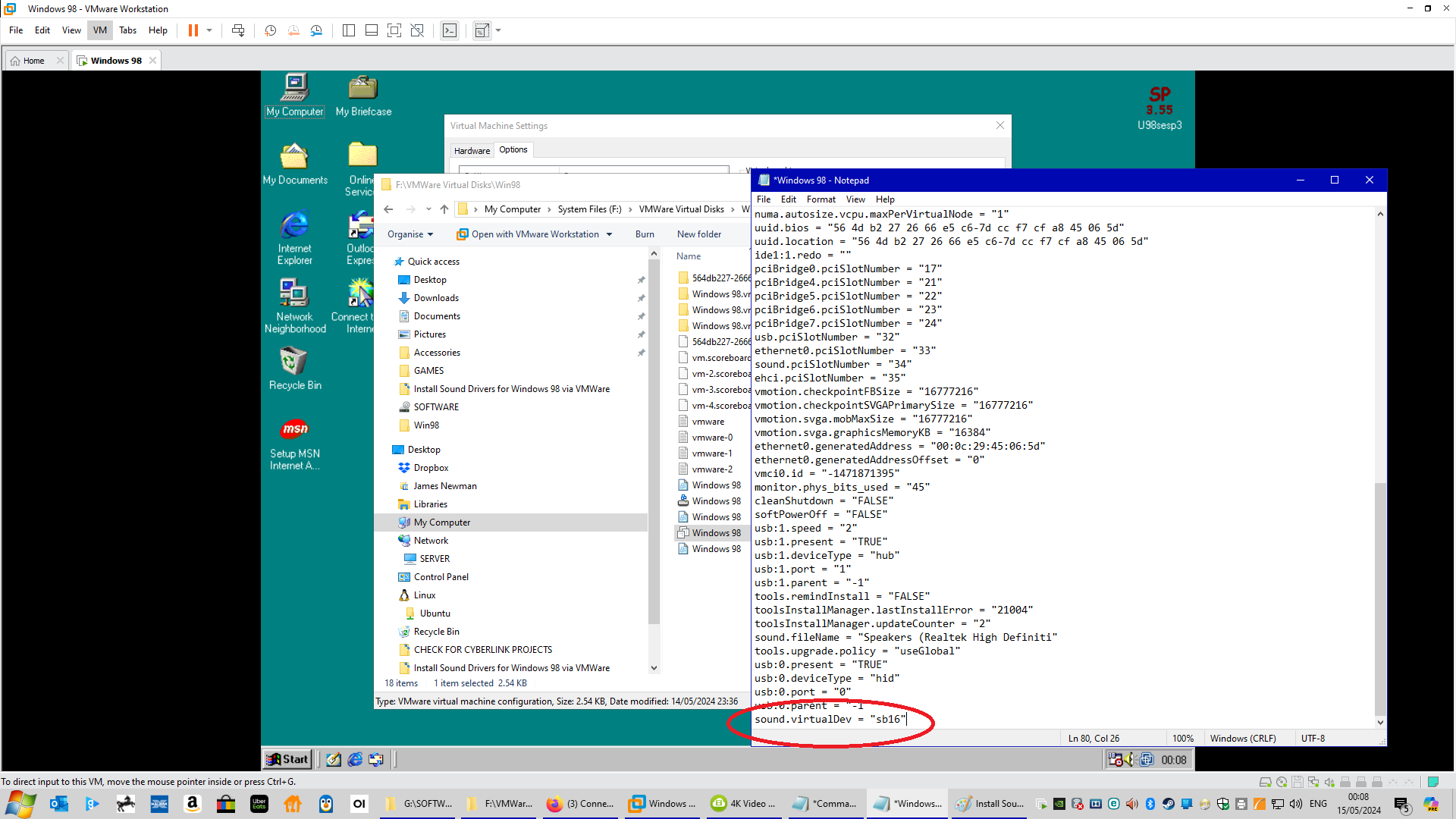
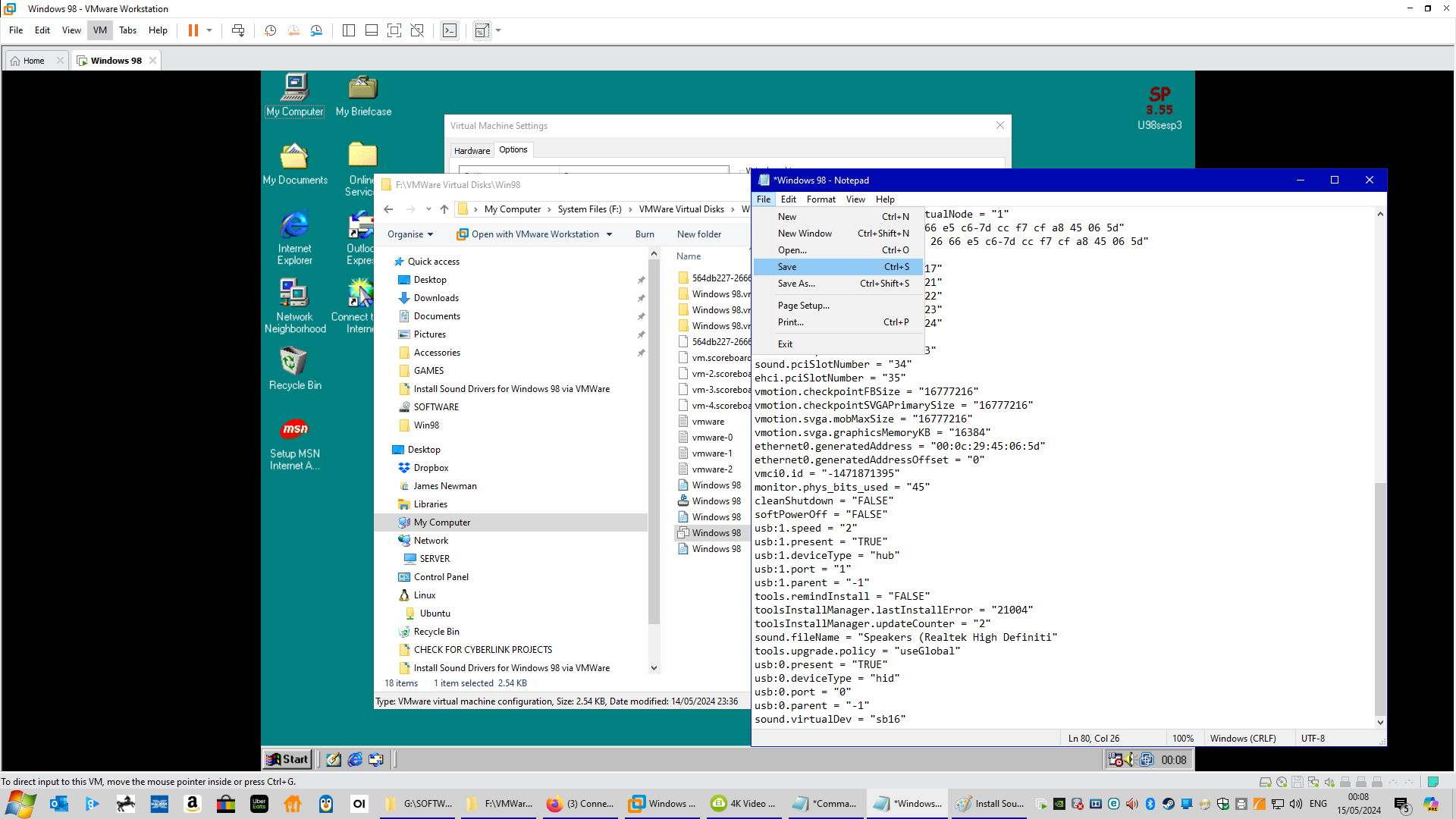
Then click “File” and “Save” and close the Notepad (Fig 11).
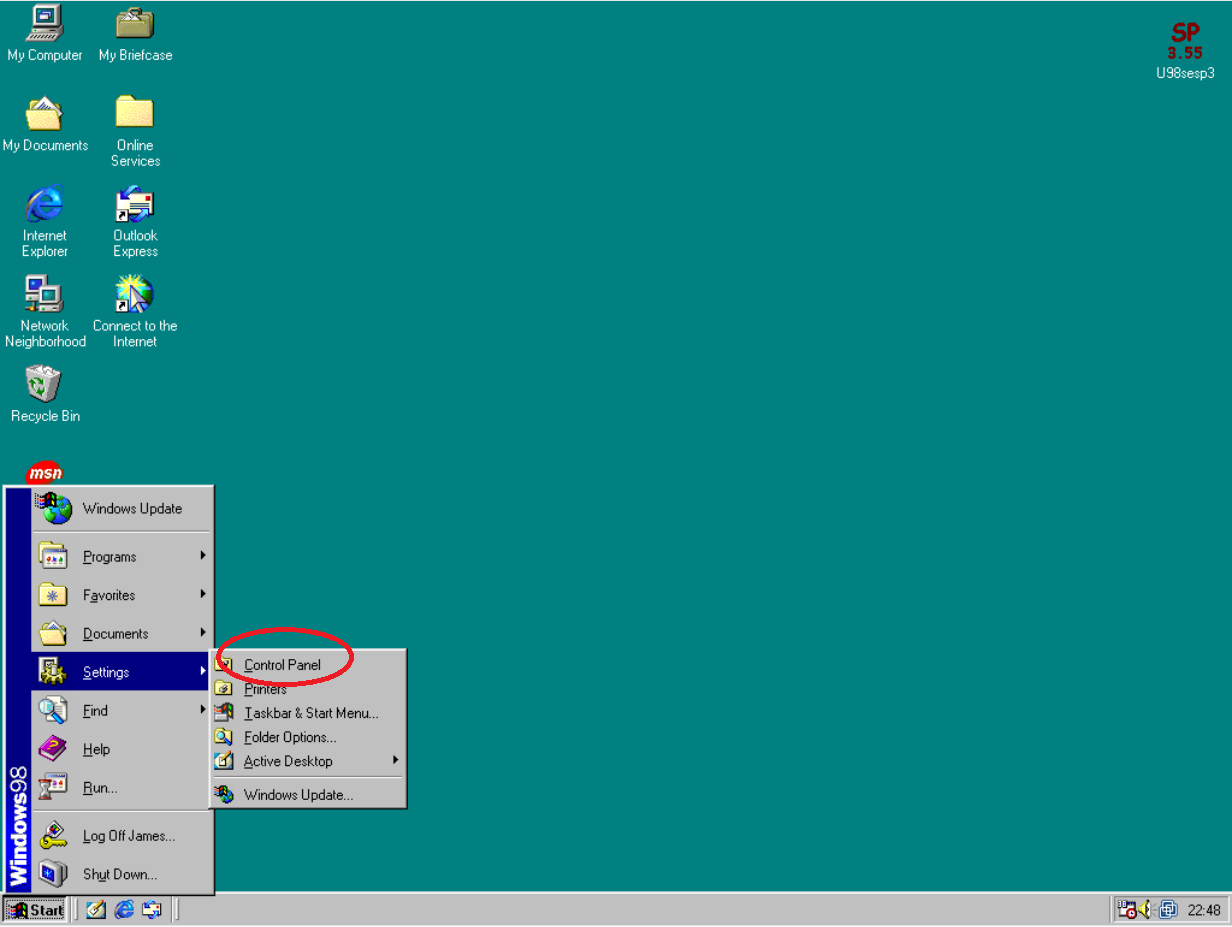
You are now ready to install the sound drivers from within the Windows 98 Virtual Machine. Click on the “Start” menu in Windows 98 and select “Settings” and then “Control Panel” as shown in (Fig A).
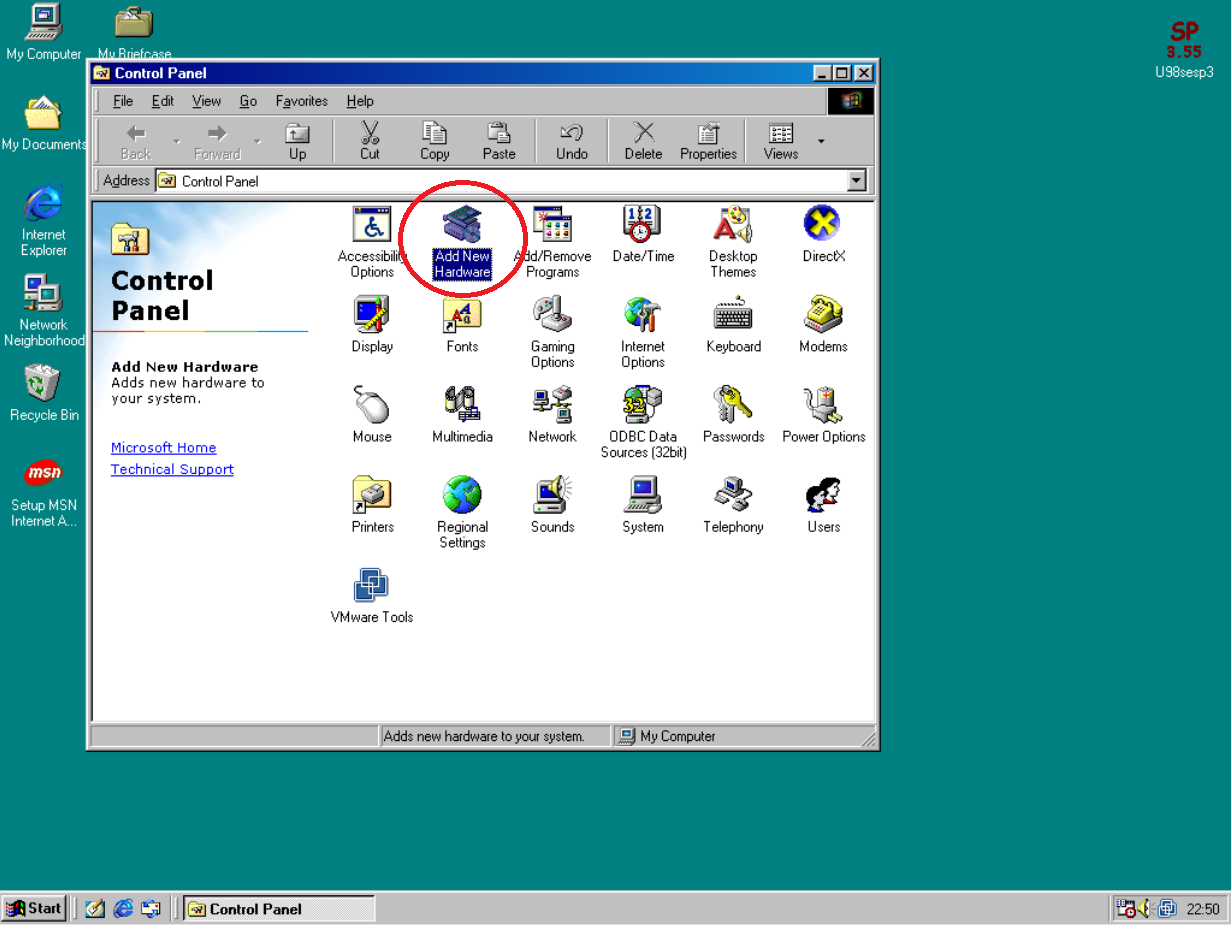
Double click on “Add New Hardware” and click “Next” and “Next” again as shown in (Fig B, C, and D)

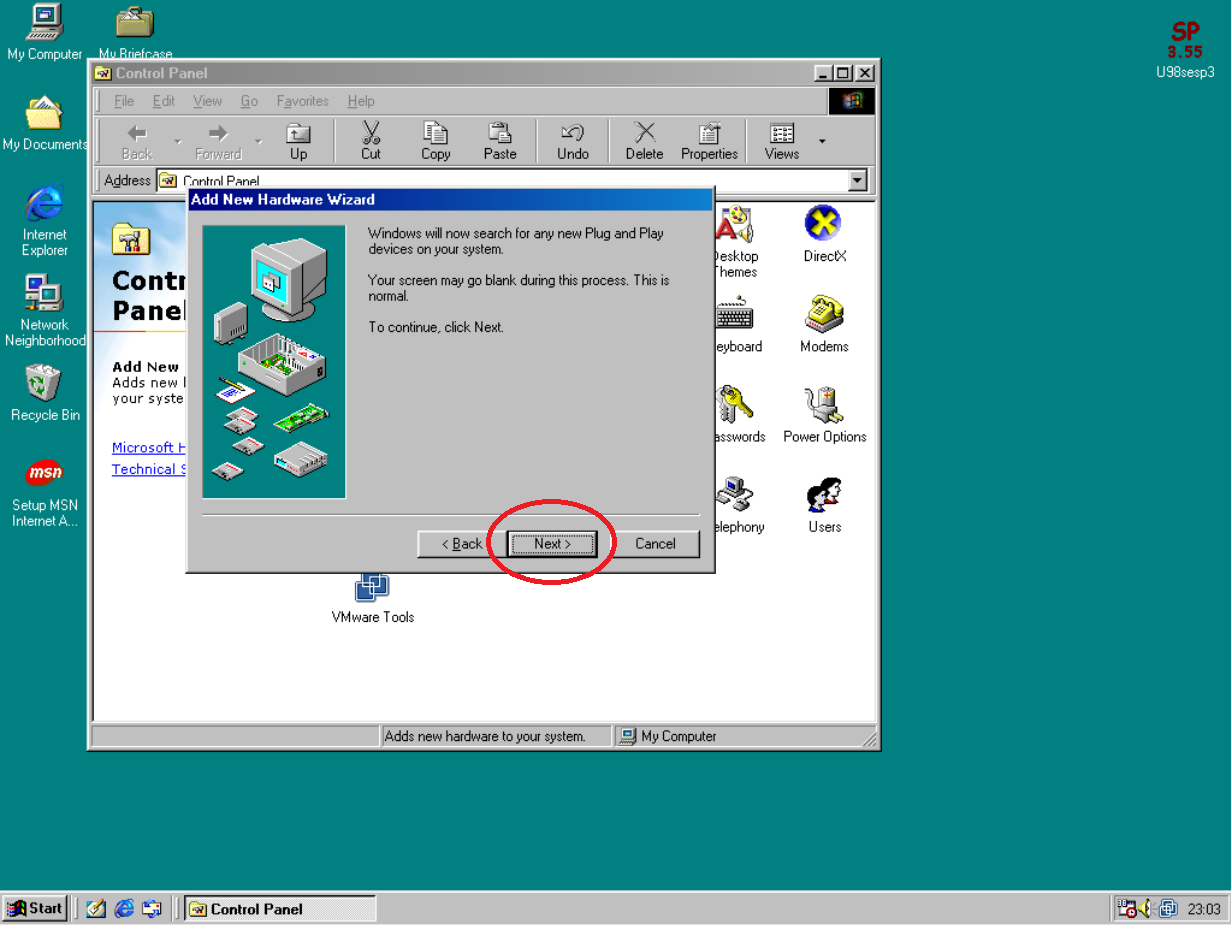
Select “No, the device isn’t in the list” and click Next (Fig E).

Next select “No, I want to select the hardware from a list” and click Next. (Fig F)

Now scroll down and find “Sound, video and game controllers”, click on this and then click on Next (Fig G)
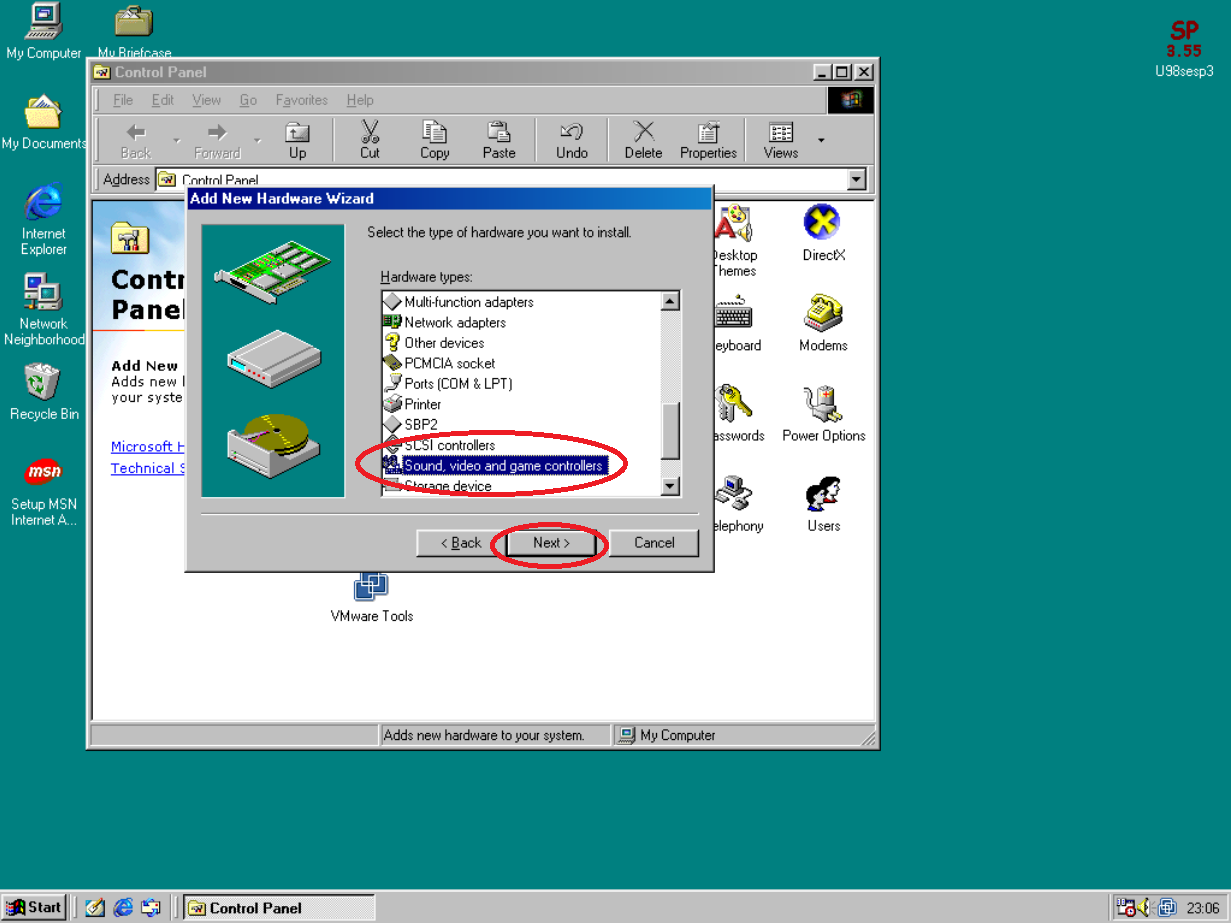
Now scroll down and find “Creative” on the left side, click on this and on the right hand side scroll down and locate “Sound Blaster 16 or AWE-32 or compatible” and click on the Next button. (Fig H)

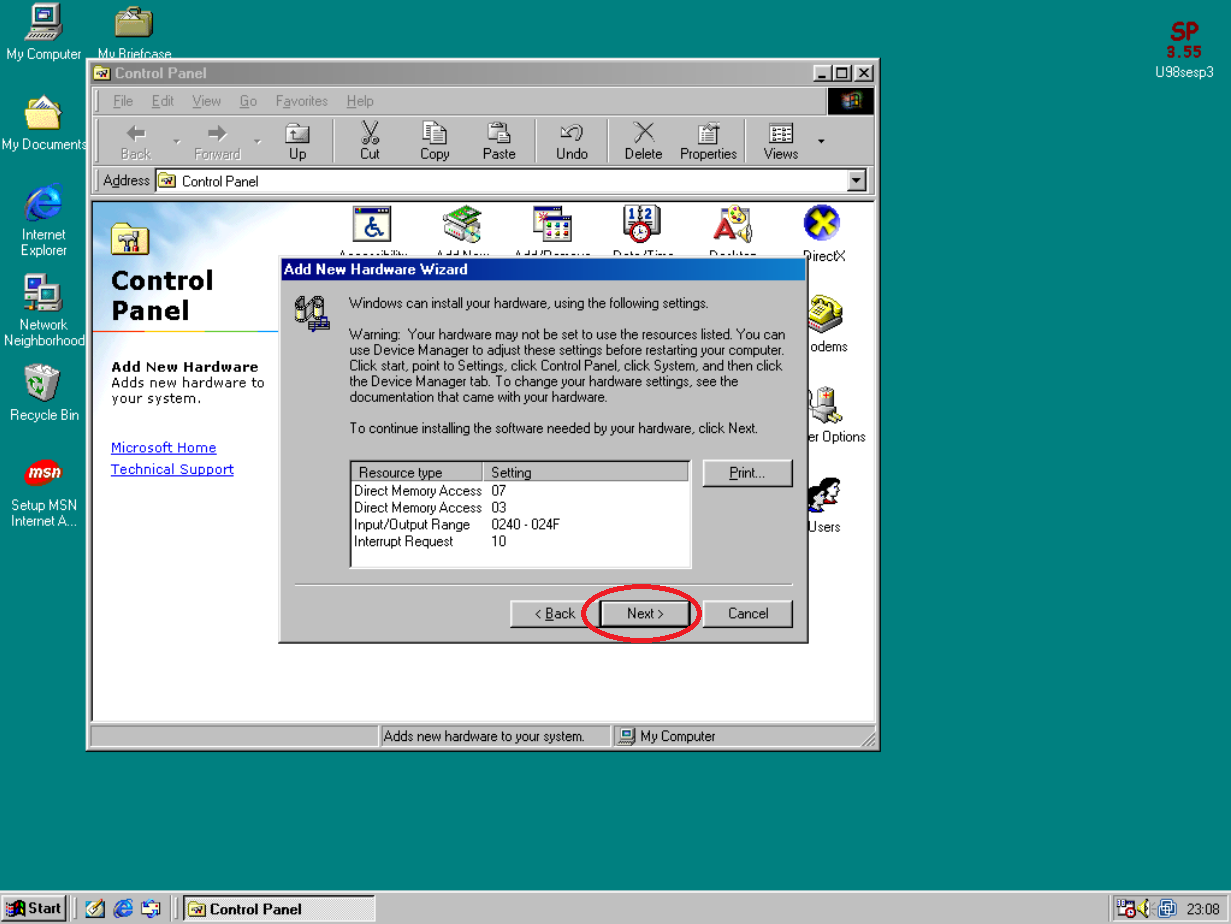
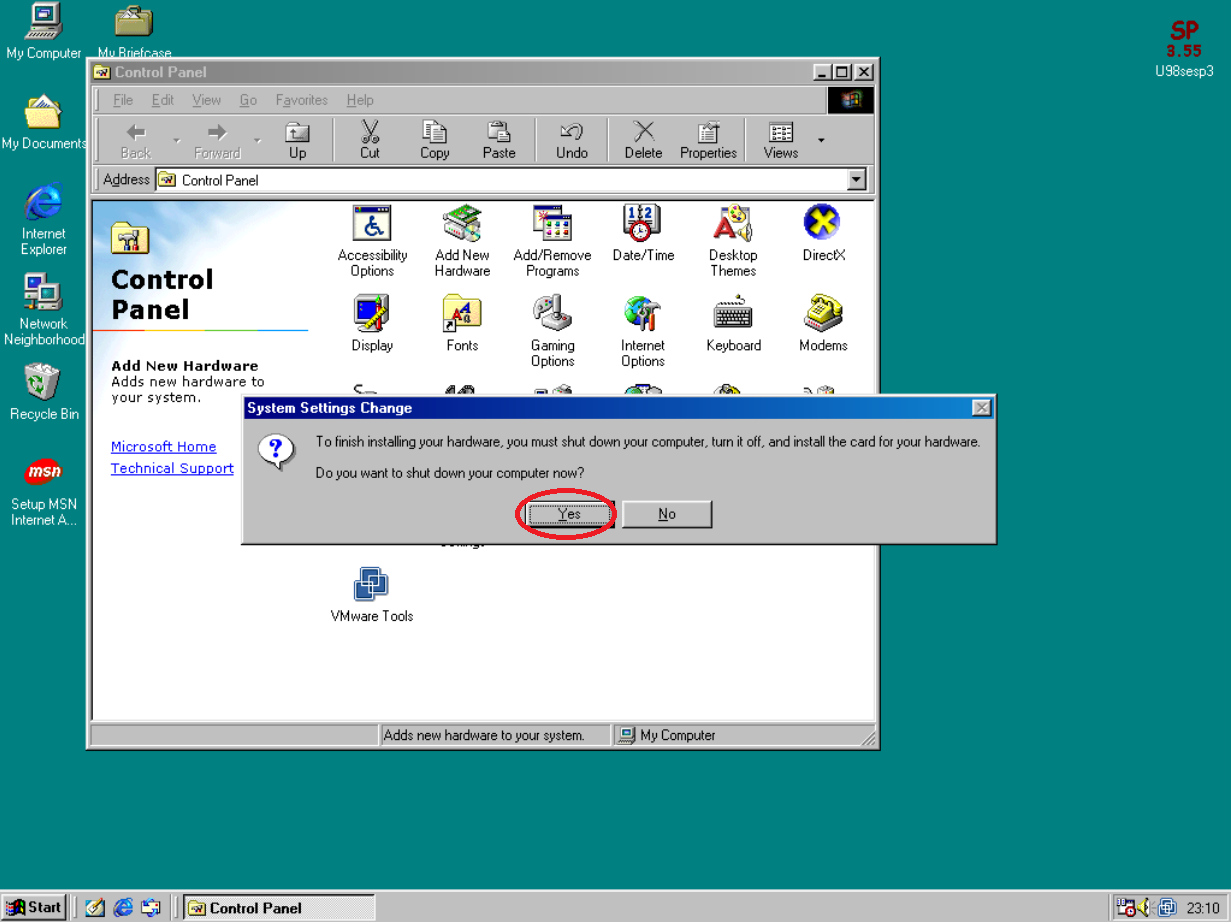
Click on “Next” again and then click on “Finish” and then click “Yes” to restart Windows 98 (Fig I, J ad K)
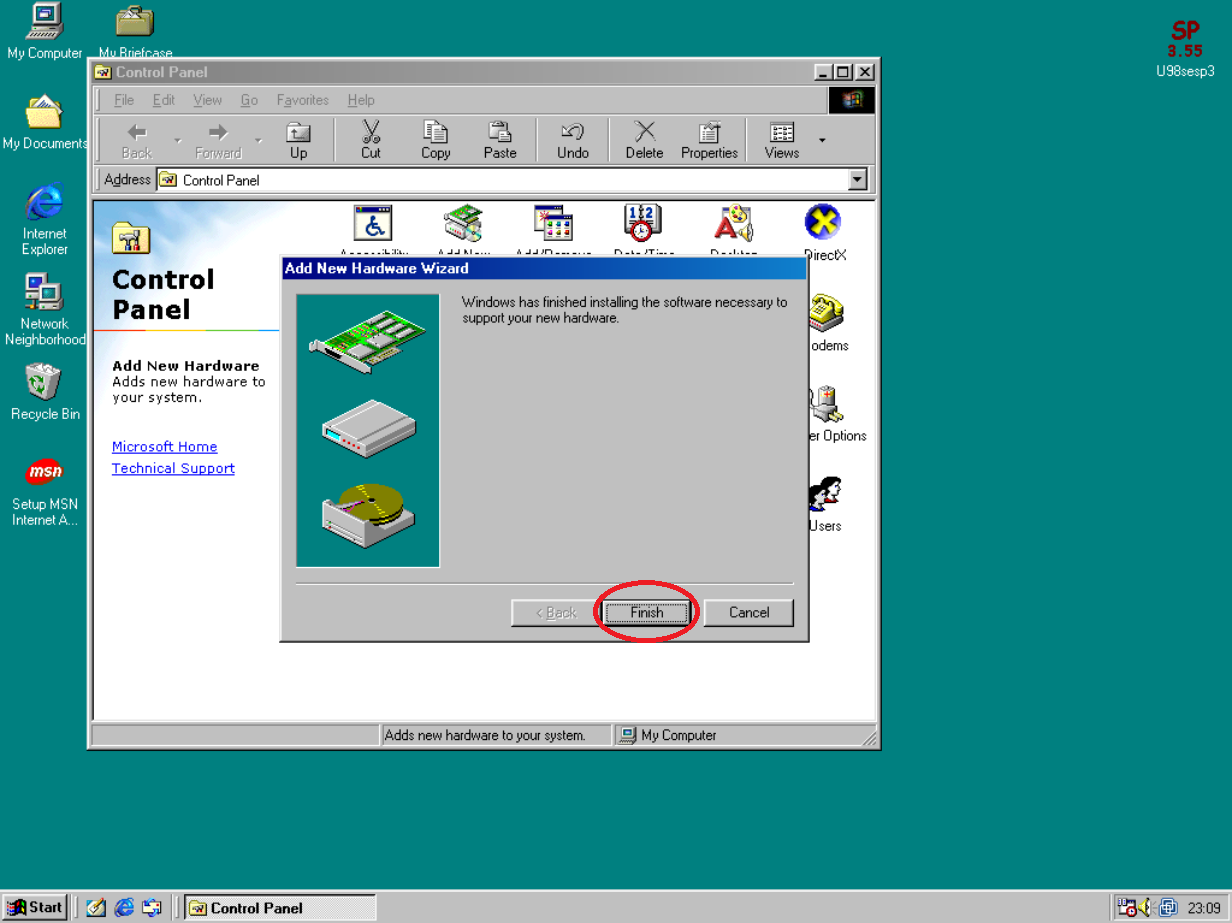
Once the virtual machine restarts Windows 98, you should have sound without any distortions.


 4TheRecord
i did get sound but my sound is very distorted